
أصبحت خدمة العملاء أكثر تكلفة مرة أخرى في 2026، لكن معظم الشركات الصغيرة لا تزال تعالج الدعم كمشكلة توظيف بدلاً من مشكلة أنظمة. لهذا السبب ينتهي الأمر بالعديد من الفرق بدفع أسعار بشرية مقابل أسئلة يمكن لروبوت الإجابة عليها في ثوان.
إذا كانت صندوق بريدك مليئًا بالتحقق من حالة الطلبات، وطلبات الحجز، وأسئلة سياسة الاسترداد، وساعات العمل، ونوافذ التسليم، والأسئلة الشائعة حول الأسعار، ورسائل “هل هناك أحد؟” بعد الساعة 6 مساءً، فأنت لا تواجه لغز خدمة العملاء. لديك مشكلة تكرار. والتكرار هو بالضبط المكان الذي تكسب فيه روبوتات الدعم الذكي.
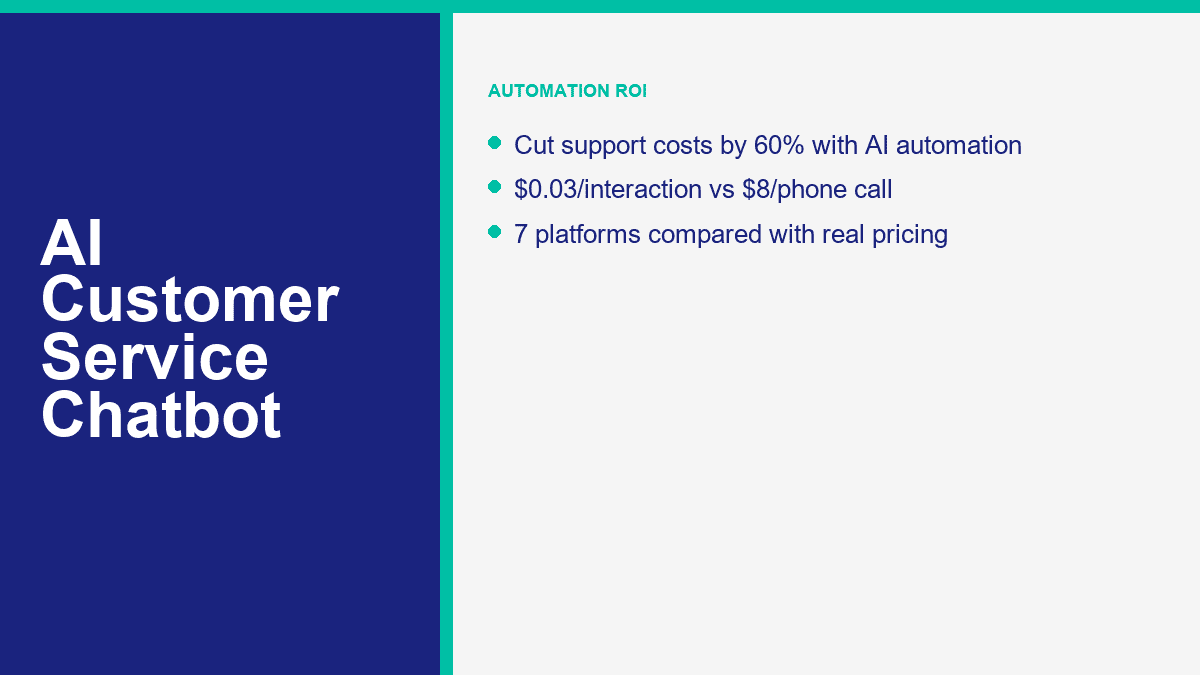
من الصعب تجاهل فجوة التكلفة بمجرد أن تحسب الأرقام. غالبًا ما تتراوح تكلفة التفاعل الهاتفي المباشر بين $8 إلى $12 عند تضمين العمالة والنفقات العامة. عادة ما تكون تكلفة دعم البريد الإلكتروني أقرب إلى $3 إلى $5 لكل رسالة يتم التعامل معها. يمكن أن ينخفض تفاعل الروبوت الذي يجيب على سؤال معروف من محتواك إلى نطاق $0.01 إلى $0.05. هذا لا يعني أن كل محادثة يجب أن تكون مؤتمتة. يعني أن الطبقة الأولى يجب أن تكون مؤتمتة بالتأكيد.
تم التحقق من تفاصيل التسعير والخطط في هذا الدليل مقابل صفحات المنتجات العامة في 9 أبريل 2026. إذا كنت لا تزال تقرر بين أدوات الذكاء الاصطناعي الأوسع والمنصات التي تركز على الدعم، اقرأ مقارنة الدردشة الكاملة لدينا بعد ذلك. تركز هذه المقالة على وظيفة واحدة: استخدام روبوتات الدردشة الذكية لخفض تكاليف الدعم دون جعل عملائك يشعرون بأنهم محاصرون في نص سيئ.
لماذا خدمة العملاء بدون الذكاء الاصطناعي تستهلك بهدوء وقت وأموال الشركات الصغيرة
أكثر الأخطاء شيوعًا التي يرتكبها أصحاب الأعمال هو التركيز فقط على الرواتب. تكلفة قائمة الدعم أكبر من الراتب. كما أنها تكلف تغيير السياق، وزيادة أوقات الاستجابة الأولى، وفقدان العملاء المحتملين بعد ساعات العمل، وتكرار الشروحات، والعبء الذي يصيب فريقك عندما يقضون نصف اليوم في نسخ نفس الإجابة في خمسة قنوات مختلفة.
بالنسبة للشركات الصغيرة، من الطبيعي أن تُهدر 15 إلى 25 ساعة في الأسبوع على الدعم المتكرر فقط. ليس لأن الأسئلة صعبة، ولكن لأنها تأتي من أماكن مختلفة: دردشة الموقع، فيسبوك ماسنجر، البريد الإلكتروني، إنستغرام، نماذج الاتصال، والهاتف. يسأل أحد العملاء عن مكان الطلب. آخر يريد نافذة استرداد الأموال الخاصة بك. آخر يحتاج إلى رابط الحجز. آخر يسأل إذا كنت تخدم رمز ZIP الخاص بهم. لا يتطلب أي من ذلك حكمًا بشريًا عالي المستوى، لكنه لا يزال يستهلك وقت الإنسان.
لهذا السبب، فإن حساب القنوات مهم أكثر من ضجيج الأدوات. إذا كنت تجيب على 500 طلب دعم في الشهر، حتى معدل أتمتة معتدل يغير الاقتصاد بسرعة.
| قناة الدعم | التكلفة النموذجية لكل تفاعل | التكلفة الشهرية عند 500 تفاعل | ما الذي يدفع التكلفة عادةً |
|---|---|---|---|
| دعم الهاتف | $8 إلى $12 | $4,000 إلى $6,000 | وقت الوكيل، معالجة المكالمات، وقت الانتظار، التكاليف العامة، والتحقق المتكرر |
| دعم البريد الإلكتروني | $3 إلى $5 | $1,500 إلى $2,500 | الردود المتبادلة، وقت البحث، والتوجيه اليدوي |
| دعم الدردشة الآلية الذكية | $0.01 إلى $0.05 | $5 إلى $25 | تكلفة الاستدلال، استخدام المنصة، واسترجاع قاعدة المعرفة |
تلك الجدول تخطط للرياضيات، وليس وعدًا بأن الروبوت يمكنه استبدال مكتب الدعم بالكامل. لكنه يظهر لماذا يمكن للفرق الصغيرة تبرير استخدام الذكاء الاصطناعي بسرعة. إذا كان الروبوت يتعامل بالكامل مع 200 من تلك المحادثات الشهرية البالغة 500، فإن التوفير يكون بالفعل ذا مغزى. إذا تعامل مع أول 70% من المحادثة قبل أن يتدخل إنسان، فإنك لا تزال تقصر وقت المعالجة وتخفض التكاليف.
هناك أيضًا تسرب الإيرادات الذي يغفله معظم الملاك. الدعم ليس مجرد مركز تكلفة للشركات الصغيرة والمتوسطة. الكثير من محادثات “الدعم” هي في الحقيقة محادثات نية شراء متخفية. العميل الذي يسأل، “هل تقومون بالتوصيل إلى بريستول؟” أو “هل يمكنني الحجز ليوم السبت؟” أو “أي خطة تشمل الإعداد؟” قريب جدًا من اتخاذ قرار. إذا لم يرد أحد حتى الغد، فأنت لم تفوت مجرد تذكرة. قد تكون قد فقدت صفقة.
لهذا السبب تعمل أتمتة الدعم بشكل أفضل عندما تتعامل مع الأسئلة المتعلقة بالخدمة والمبيعات معًا. نفس النظام الذي يجيب على قواعد الاسترداد يمكنه أيضًا توجيه طلبات الاقتباس، وإظهار روابط الحجز، وتمرير عميل محتمل دافئ إلى إنسان مع السياق الذي تم جمعه بالفعل.
كيف تجيب روبوتات الدردشة لخدمة العملاء بالذكاء الاصطناعي على الناس بدلاً من مجرد التخمين
روبوت الدردشة لخدمة العملاء ليس مفيدًا لأنه “ذكاء اصطناعي”. إنه مفيد لأنه يقوم بثلاث وظائف بشكل موثوق: يكتشف ما يريده العميل، ويسحب الإجابة الصحيحة من محتوى الأعمال المعتمد، ويعرف متى يتوقف ويمرر المحادثة إلى شخص.
الأجزاء الثلاثة التي تهم أكثر هي النية، المعرفة، والتصعيد
التعرف على النية هي الطبقة الأولى. يجب على الروبوت أن يكتشف ما إذا كانت الرسالة تتعلق بالشحن أو الفوترة أو حالة الطلب أو الحجز أو التسعير أو الإلغاء أو الدعم الفني أو شيء آخر. تقوم الأنظمة الحديثة بذلك من خلال فهم اللغة الطبيعية بدلاً من المطابقة الصارمة للكلمات الرئيسية، وهذا هو السبب في أن العملاء يمكنهم كتابة “أين طردي؟” وما زالوا يصلون إلى نفس التدفق مثل “تتبع طلبي.”
استرجاع المعرفة هي الطبقة الثانية. هنا حيث تفوز العديد من الشركات أو تحرج نفسها. يحتاج الروبوت إلى مصدر معتمد للحقيقة: صفحات الأسئلة الشائعة، مستندات المساعدة، صفحات السياسات، معلومات القائمة، قواعد المواعيد، مناطق الخدمة، سياسة الإرجاع، مقالات قاعدة المعرفة، أو ملاحظات الدعم الداخلية. إذا لم يكن لدى الروبوت مواد مصدر نظيفة، فسوف يجيب بشكل غامض، أو يتخيل، أو يعود إلى محتوى عام. معظم الروبوتات السيئة في الدعم لا تفشل لأن النموذج ضعيف. إنهم يفشلون لأن الشركة أعطتهم محتوى ضعيف.
قواعد التصعيد هي الطبقة الثالثة، وهي غير قابلة للتفاوض. يجب أن يعرف الروبوت الجيد في الدعم متى يتوقف عن التظاهر. إذا بدا العميل غاضبًا، أو طرح سؤالًا جديدًا، أو احتاج إلى استثناء، أو طلب استرداد، أو استخدم لغة منظمة، أو فشل بالفعل في الحصول على إجابة مفيدة مرة واحدة، يجب على الروبوت توجيههم إلى إنسان بدون أي احتكاك.
That routing can be simple or advanced. At the basic level, it means “talk to support” or “leave your phone number and we will reply in business hours.” At the advanced level, it means tags, intent-based routing, CRM sync, order lookup, ticket creation, and passing the full transcript to the right agent so the customer does not have to repeat the story.
Pre-Trained Bots Get You Live Fast, but Custom-Tuned Bots Save More Money
Pre-trained customer-service bots are the fastest starting point. They already understand common support language, so you can connect a help center or upload FAQ content and get useful results quickly. That is why tools like Tidio, Intercom, Zendesk, Freshchat, and HubSpot can go live without a six-week build.
Custom-tuned bots are where the bigger savings show up. That does not always mean training a model from scratch. For most SMBs, “custom” means feeding the platform your real policies, your real products, your shipping rules, your appointment logic, your escalation rules, and your preferred tone. The bot still uses a pre-trained foundation model underneath, but the answers become specific to your business.
Here is the practical distinction:
- Pre-trained support bot: faster launch, less setup, good for generic FAQs and basic triage.
- Custom-tuned support bot: more accurate answers, better deflection, stronger routing, lower human rework.
One more thing worth saying clearly: serious customer-service chatbots are not “no sign up required” tools. That phrase belongs to consumer AI chat apps, not production support systems. Business bots need accounts, channel permissions, saved customer context, reporting, and human routing. If a platform is promising support automation without any setup, it is showing you a demo, not a real support stack.
If Facebook Messenger is one of your main support channels, this matters even more because the setup is channel-specific. For the Messenger-first workflow, branching, forms, tags, and handoff logic, read our complete Messenger automation guide once you finish this article.
The 7 AI Customer Service Chatbots Worth Comparing Before You Buy Anything
Small businesses usually do not need fifteen vendor tabs open. They need a short list that reflects how support actually works: website chat, email, social messaging, help-center content, after-hours coverage, and an easy handoff to a human. The table below focuses on the seven platforms that keep coming up in real SMB buying decisions.
The pricing column reflects public entry pricing or the first meaningful paid tier I could confirm on April 9, 2026. The AI-quality column is my practical read based on public capabilities, setup friction, and how well each tool fits SMB support, not a vendor-issued score.
| المنصة | السعر الابتدائي العام | AI quality | Channels | الطبقة المجانية | أفضل توافق |
|---|---|---|---|---|---|
| تطبيق MessengerBot | بريميوم $19.99 لكل 30 يومًا | Good for structured SMB support and Messenger-first automation | فيسبوك ماسنجر، دردشة الموقع، البريد الإلكتروني، الرسائل القصيرة، إنستغرام في المستويات الأعلى | تجربة مجانية | Businesses that handle support and lead capture inside Facebook |
| Tidio | Starter $24.17 per month; Lyro AI from $32.50 per month | Very good for website support; vendor says Lyro can solve up to 67% of customer problems | Website chat, Messenger, Instagram, WhatsApp, email | Free plan plus 50 free Lyro conversations | SMBs that need website chat and AI support in one inbox |
| Intercom | From $29 per seat per month plus $0.99 per Fin outcome | Excellent; Intercom says Fin resolves an average of 67% of customer queries | Chat, email, phone, WhatsApp, in-app | 14-day trial | Higher-volume support teams that want clear AI outcome pricing |
| Zendesk | Suite + Copilot Professional $155 per agent per month billed annually; advanced AI agents custom | Excellent at scale; Zendesk markets 80%+ automation potential | Web, email, voice, social, messaging | تجربة مجانية | Mature support operations with ticketing discipline already in place |
| Freshchat | Free; Growth $19 per agent per month; Freddy AI Agent first 500 sessions included then $49 per 100 sessions | Good to very good for budget omnichannel support | Website, mobile app, email, Facebook, Instagram, WhatsApp, SMS | نعم | Price-sensitive teams that want omnichannel support without enterprise pricing |
| هب سبوت | Free tools; Starter from $15 per seat per month; Professional from $100 per seat with Breeze customer agent | Very good if you already live in HubSpot; Breeze resolves about 65% of conversations | Website chat, email, Facebook Messenger, WhatsApp, calling beta | Yes, plus 28-day free access for Customer Agent | CRM-centered businesses that want support, sales, and marketing in one system |
| Drift | أسعار مخصصة | Good for revenue conversations, weaker for support-first SMBs | Website chat and sales conversations | No meaningful free tier | B2B sites where the chatbot’s main job is qualification and meeting booking |
MessengerBot.app Makes the Most Sense When Facebook Is a Real Support Channel
If most of your customer questions come through Facebook Page messages, MessengerBot is the most direct fit in this group. The pricing is easier to understand than contact-based billing, the Visual Flow Builder is practical, and the platform already covers the extras SMBs usually ask for next: forms, website chat, comment automation, tags, broadcasts, ecommerce tools, and Google Sheets or API connectivity.
The honest limitation is channel focus. If your business lives more on website chat or email than Messenger, a broader support platform may fit better. But for Messenger-first businesses, it removes a lot of setup friction.
Tidio Is the Best All-Around Pick for Website Support Plus AI
Tidio is the cleanest answer for businesses whose website is the main support front door. Lyro is a real AI layer, not just a scripted menu, and the free plan plus 50 free Lyro conversations gives you a low-risk way to test it. I like Tidio most for ecommerce brands, service businesses, and online stores that want one place for live chat, tickets, and AI answers.
The tradeoff is pricing complexity once you stack plan fees and AI usage. It is still fair, but you need to model both the support workspace and the AI layer, not just the sticker on the first plan.
Intercom Is Expensive, but It Gives You the Cleanest AI Cost Model
Intercom’s biggest strength is not that it is cheap. It is that the math is visible. Fin AI Agent costs $0.99 per successful outcome, and Intercom publishes that openly. For a support leader, that is useful because you can compare AI cost per resolved conversation against human cost per resolved conversation instead of guessing where the overages are hiding.
The catch is obvious. If you are a small business with low volume, per-outcome pricing can still work. If you are a very high-volume team, the bill gets real fast. Intercom is strongest when AI resolution quality matters enough that you are willing to pay for it.
Zendesk Is Powerful, but Many Small Businesses Buy Too Much Too Early
Zendesk is excellent if your support team already works like a support team: tickets, macros, SLAs, queues, reporting, QA, and admin controls. It is not the first tool I would recommend to a five-person business answering the same booking questions every day. It is the tool I would recommend to a scaling operation that needs governance and serious workflow depth.
Zendesk’s AI story is strong, but its packaging is enterprise-shaped. For a local clinic, SaaS startup, or small ecommerce brand, that can be more system than you need.
Freshchat Is the Budget-Friendly Omnichannel Option That Still Feels Modern
Freshchat deserves more attention from SMBs than it usually gets. The free tier is usable, the Growth plan starts lower than most enterprise-style platforms, and the Freddy AI pricing is straightforward enough to forecast. It is a good fit if you want website chat, email, and messaging channels without immediately jumping into Intercom or Zendesk spend.
Where Freshchat usually loses is not price. It is mindshare. Buyers shortlist Tidio or Intercom first, even when Freshchat fits the budget better.
HubSpot Is Best When Customer Service Is Tied Closely to Your CRM
HubSpot becomes compelling when support, sales, and marketing all need the same conversation history. Breeze Customer Agent can answer questions, qualify leads, and hand off with CRM context intact. If your support team already lives in HubSpot, it is one of the easiest AI decisions to justify because the customer data is already there.
If you are not already on HubSpot, the value case changes. Then you are not buying only a chatbot. You are buying into a broader platform decision.
Drift Is Still Strong for Pipeline, Not for Everyday Support Deflection
Drift belongs in this comparison because many B2B companies still look at “chatbot” and really mean lead qualification, meeting booking, and account-based website conversations. That is where Drift still works. If your website exists to start sales conversations, Drift stays relevant.
If your main problem is repetitive customer support, though, Drift is usually the wrong starting point. It is not built around the same service-first use case as Tidio, Intercom, Zendesk, Freshchat, or HubSpot.
How to Set Up an AI Customer Service Chatbot in About 30 Minutes With MessengerBot
The fastest successful chatbot launch is never the fanciest one. The first version that saves money usually handles the top five repetitive questions, offers one clean human handoff path, and captures the minimum context your team needs when they take over.
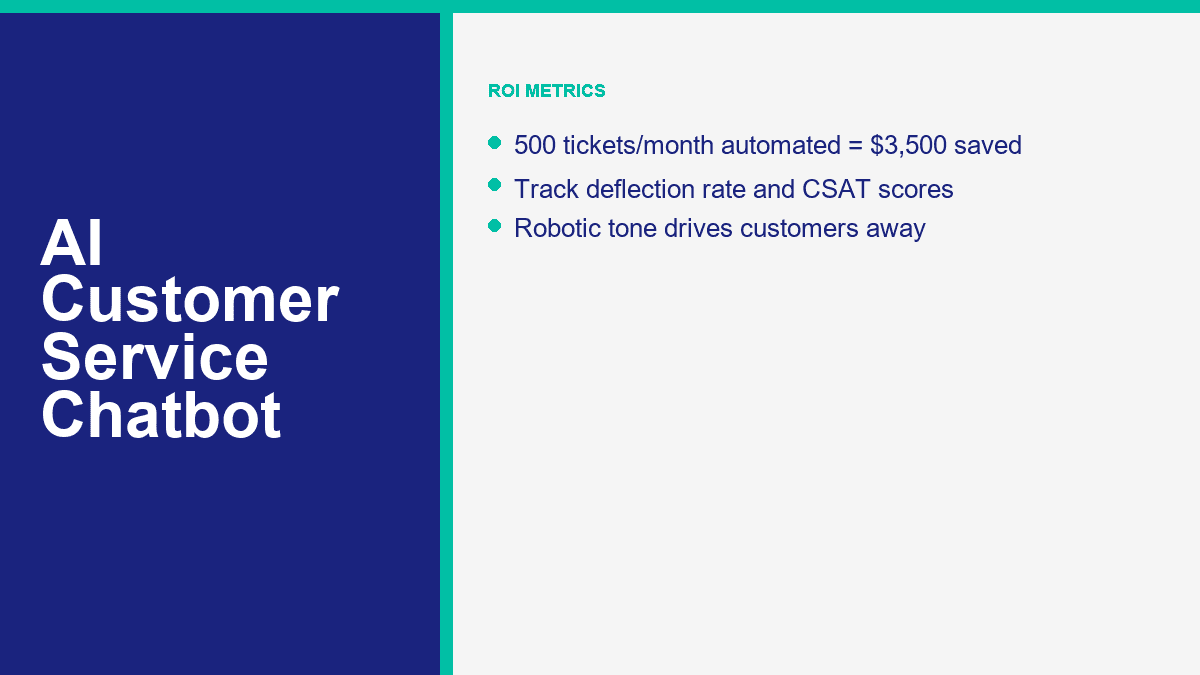
If Facebook Messenger is one of your busiest support channels, MessengerBot is one of the quickest ways to get there because the setup is already aligned to Page-based messaging rather than generic website chat. A realistic 30-minute rollout looks like this:
- Connect the right Facebook Page first. Use the business account that actually has Page permissions. Most failed first-time setups come down to the wrong login or skipped permissions.
- List the 10 questions your team answers every week. Do not brainstorm imaginary use cases. Pull the real questions from Messenger, email, and comments.
- Build a welcome menu with 3 to 5 useful options. Good examples are order help, business hours, booking, pricing, and talk to a person.
- Create one short branch per question. Each branch should end in an answer, an action, or a handoff. Avoid long walls of text.
- Add one lead or support form. Ask only for the details needed to move the case forward, such as order number, phone, email, or preferred appointment date.
- Set the human handoff rule. Route refund requests, billing problems, second-failed answers, and emotionally charged messages to a person.
- Test the full flow on a phone. Desktop previews are not enough. Messenger is a mobile-first experience.
- Launch narrow, then review live conversations after one week. The first 50 to 100 chats will show you what to fix faster than any pre-launch guesswork.
A lot of businesses overbuild the opening flow. They try to create a clever AI concierge that can handle every possible edge case. That is the wrong goal. The right goal is to stop human time from being wasted on repetitive, solvable requests. Start with the boring stuff. That is where the savings are.
For a small business, the first bot should usually cover these four buckets:
- FAQ support: hours, location, pricing ranges, shipping rules, service areas, return policy.
- Order or booking status: collect order number, booking date, or email, then route or respond.
- تأهيل العملاء المحتملين: capture name, contact details, product interest, and timeline.
- Human routing: give customers an obvious path to a person when the issue needs judgment.
If you are deciding whether the starter tier is enough or you need more pages, widgets, or automation depth, عرض تسعير MessengerBot before you build too much on the wrong plan. That is also the point where you should compare whether your business is still Messenger-first or whether you really need a broader omnichannel stack.
What AI Chatbots Handle Well, What They Still Miss, and Why Human Handoff Is Mandatory
The strongest customer-service bots in 2026 are good, not magical. They can remove a lot of repetitive work. They cannot replace judgment, empathy, exceptions, or accountability.
What AI Chatbots Are Already Good At
These are the jobs I would automate first because the success rate is usually high and the customer expectation is clear:
- Frequently asked questions: pricing ranges, opening hours, shipping rules, returns, warranty basics, service coverage, and onboarding steps.
- Order status and appointment lookup: if your systems are clean, bots can ask for the right identifier and route or return the next step fast.
- حجز المواعيد: especially for clinics, salons, gyms, consultants, and home-service businesses.
- تأهيل العملاء المحتملين: product interest, budget range, timeline, location, or service type.
- After-hours first response: even when a human will reply tomorrow, the bot can set expectations and collect context now.
Those use cases work because the business rules are stable. The bot is not being asked to improvise policy. It is being asked to recognize a known intent and apply a known answer or workflow.
Where AI Still Breaks Down Fast
This is where small businesses get into trouble when they overtrust automation:
- Complex complaints: damaged orders, repeated failures, or service breakdowns that need discretionary action.
- Emotional situations: angry customers, bereavement cases, cancellation disputes, or anything involving trust repair.
- Novel problems: if the issue has no documented answer, the bot should not guess.
- High-risk requests: refunds, chargebacks, legal claims, regulated advice, privacy requests, or account security problems.
- Multi-step exceptions: anything that requires policy override or manager approval.
That is why the human handoff is not a “nice to have.” It is the difference between automation that saves money and automation that creates churn.
A simple handoff rule set usually covers most of the risk:
- If the customer asks for a human, hand off.
- If the bot fails twice, hand off.
- If the issue mentions billing, refund, legal, safety, or account access, hand off.
- If sentiment is clearly negative or frustrated, hand off.
If you need more advanced routing, multi-step support logic, additional channels, or stronger automation controls around those handoffs, ميزات MessengerBot Pro are the part to compare next. That is where a lot of growing businesses move from a simple FAQ bot into a real support workflow.
How to Measure ROI So You Know the Bot Is Saving Money Instead of Just Looking Busy
AI chatbot ROI is easy to fake if you only look at conversation volume. A bot that replies to everything is not automatically saving money. The only numbers that matter are the ones tied to deflection, resolution, speed, customer satisfaction, and real labor avoided.
The five metrics I watch first are:
| المقياس | ما يخبرك به | What good looks like for an SMB |
|---|---|---|
| معدل التحويل | How many conversations never need a human | 40% to 60% in the first month; 60% to 70% once content is tuned |
| معدل الحل | How often the bot actually solves the issue it touched | Higher than 50% on repetitive FAQs; lower on complex support |
| CSAT | Whether customers feel the automated experience was acceptable | Flat or improving compared to human-only baseline |
| التكلفة لكل تفاعل | The real expense of automated versus human support | Pennies for AI, dollars for human support |
| Human assist rate | How often the bot still needs staff intervention | Low for repetitive issues, intentionally higher for sensitive issues |
The simplest ROI formula is still the best one:
Monthly savings = (Manual interactions avoided x manual cost per interaction)
                - (Automated interactions x bot cost per interaction)
                - platform subscription
                - maintenance time
Now use the example most owners can relate to.
Say your business handles 500 support tickets per month. If 70% of them are repetitive enough for automation, that is 350 tickets the bot can absorb or fully resolve. If your blended manual cost is $10 per support interaction, those 350 tickets would have cost about $3,500 handled by humans.
If the bot handles those same 350 conversations at about $0.03 each, that interaction cost is only $10.50. Add a $49.99 plan cost, and the total bot-side monthly spend is about $60.49.
| Scenario | المبلغ |
|---|---|
| Total monthly tickets | 500 |
| Automated tickets at 70% | 350 |
| Manual cost avoided at $10 each | $3,500.00 |
| Bot interaction cost at $0.03 each | $10.50 |
| Platform cost example | $49.99 |
| Estimated monthly net savings | $3,439.51 |
Round that down for real life and you still land in the same place: roughly $3,500 a month saved from one modest support queue. That is why business owners who think chatbot plans are “another software expense” usually change their mind as soon as the spreadsheet is honest.
Here is a second scenario for email-heavy teams where the manual cost is lower:
- 800 email and chat tickets per month
- 55% automated = 440 tickets
- Manual cost = $4 each
- Automation cost = $0.02 each
- Platform cost = $24.17
The manual work avoided there is $1,760. The bot interaction cost is $8.80. After the plan cost, your net monthly savings are about $1,727.03. That is not “enterprise AI transformation.” That is one small support process finally being priced correctly.
The important caution is this: do not count partial automation as full savings. If the bot collects the order number but still hands the case to a human, you saved time, not a full interaction. That is still valuable, but track it honestly. Otherwise the ROI model turns into sales-deck math.
The AI Customer Service Mistakes That Push Customers Straight to Your Competitor
I keep seeing the same support-bot failures, and they are almost never model failures. They are setup failures.
No Human Option Is the Fastest Way to Make Automation Feel Hostile
If the customer cannot reach a person when the issue goes off script, the bot stops feeling efficient and starts feeling defensive. This is especially destructive in billing, delivery failures, appointment changes, and complaints.
Robotic Responses Usually Mean Your Knowledge Base Is Weak
Businesses blame the model when the answers sound stiff or generic. The real problem is often bad source material. If your FAQ says almost nothing, the bot will say almost nothing too. Good support bots are trained on policy, process, tone, and concrete examples. Weak content produces weak conversations.
Ignoring Context Makes Customers Repeat Themselves
If a customer already gave the order number, the issue type, and the delivery date, the handoff should preserve that. Making them restate everything is one of the quickest ways to kill CSAT. This is why integrations and routing matter more than flashy demos.
No Escalation Path Turns Minor Issues Into Public Complaints
A support bot should reduce pressure, not trap it. When escalation is missing, customers do what customers always do: they go to reviews, social comments, or a competitor that answers faster.
Trying to Automate Every Edge Case on Day One Usually Backfires
The right first bot is boring on purpose. It answers the questions you already know, routes the issues you should not automate, and lets you improve the knowledge base from real conversations. Teams that try to launch an all-knowing AI assistant on day one usually end up rewriting everything after the first week.
A quick pre-launch checklist catches most of the expensive mistakes:
- Give the customer an obvious human option.
- Write answers in your brand’s actual tone, not generic help-center language.
- Use real FAQs pulled from live conversations.
- Define hard handoff rules for risk, sentiment, and failed answers.
- Test the full flow on mobile before launch.
- Review bot conversations weekly for the first month.
Where Most Small Businesses Should Start Right Now
If your team is still answering the same support questions by hand every day, do not start by shopping for the most advanced AI on the market. Start by automating the most repetitive 20% of your queue, because that is where the fastest savings usually live. If Facebook Messenger is part of that workflow, compare عرض تسعير MessengerBot مع ميزات MessengerBot Pro and pick the smallest setup that gives you solid FAQ coverage, one human handoff path, and one lead or support form. That is enough to prove ROI before you expand.
الأسئلة الشائعة
كم يكلف روبوت الدردشة لخدمة العملاء المعتمد على الذكاء الاصطناعي؟
For most small businesses, a serious starter setup costs somewhere between about $20 and $100 per month, depending on channels, agent seats, and AI usage. MessengerBot starts at $19.99 per 30 days on its current public pricing, Tidio starts at $24.17 per month with Lyro sold separately from $32.50, Freshchat has a free tier and Growth from $19 per agent, and enterprise tools such as Intercom and Zendesk climb much faster once seat pricing and AI usage kick in.
هل يمكن لروبوت الدردشة الذكي أن يحل محل وكلاء خدمة العملاء البشريين بالكامل؟
No. AI can replace a large share of repetitive support work, but it should not replace humans in complex complaints, emotional situations, policy exceptions, refunds, account security, or novel problems. The best support setup is hybrid: AI handles the repetitive layer, and humans step in when judgment or empathy matters.
ما هي النسبة المئوية لتذاكر الدعم التي يمكن لروبوتات الدردشة الذكية التعامل معها؟
بالنسبة لمعظم الشركات الصغيرة، الهدف الواقعي هو 40% إلى 60% من التذاكر المتكررة في الشهر الأول، ثم 60% إلى 70% بمجرد تحسين قاعدة المعرفة وقواعد التوجيه. يمكن أن ترتفع مطالبات البائعين في حالات الاستخدام الضيقة. تقول HubSpot إن Breeze تحل حوالي 65% من المحادثات، وتقول Intercom إن Fin تحل متوسط 67% من استفسارات العملاء، وتسوق Zendesk لإمكانات الأتمتة 80%+ لوكلاء الذكاء الاصطناعي.
كم من الوقت يستغرق إعداد روبوت الدردشة لخدمة العملاء بالذكاء الاصطناعي؟
A basic version can go live in about 30 minutes if your content is ready and the use case is narrow. A stronger first rollout, with clean FAQ branches, forms, escalation rules, and mobile testing, usually takes one to three hours. The biggest time saver is using real support questions instead of trying to invent every possible scenario.
ما هي أفضل منصة دردشة ذكاء اصطناعي لخدمة العملاء في الشركات الصغيرة؟
تعتمد أفضل منصة على القناة التي تهمك أكثر. MessengerBot هو الأنسب للأعمال التي تركز على Facebook Messenger. Tidio هو الخيار الأفضل للدردشة على المواقع بالإضافة إلى الذكاء الاصطناعي. Freshchat قوي لدعم القنوات المتعددة مع ميزانية محدودة. HubSpot منطقي إذا كانت إدارة علاقات العملاء لديك تعمل بالفعل هناك. Intercom وZendesk أقوى للفرق الداعمة الأكبر أو الأكثر نضجًا من الناحية التشغيلية مقارنةً بشركة صغيرة نموذجية تحاول فقط تحويل التذاكر المتكررة.



 العربية
  English
  Tagalog
  简体中文
简体中文  हिन्दी
  Português do Brasil
  Español de México
  Français
  বাংলা
বাংলা  香港中文
香港中文  繁體中文
繁體中文  Nederlands
  Deutsch
  Bahasa Indonesia
  日本語
日本語  한국어
한국어  Polski
  Русский
  Español
  Tiếng Việt