
O atendimento ao cliente ficou mais caro novamente em 2026, mas a maioria das pequenas empresas ainda trata o suporte como um problema de pessoal em vez de um problema de sistemas. É por isso que tantas equipes acabam pagando tarifas humanas por perguntas que um bot poderia responder em segundos.
Se sua caixa de entrada está cheia de verificações de status de pedidos, solicitações de reservas, perguntas sobre políticas de reembolso, horários de funcionamento, janelas de entrega, perguntas frequentes sobre preços e mensagens de “tem alguém aí?” após as 18h, você não tem um mistério de atendimento ao cliente. Você tem um problema de repetição. E a repetição é exatamente onde os bots de suporte de IA ganham seu sustento.
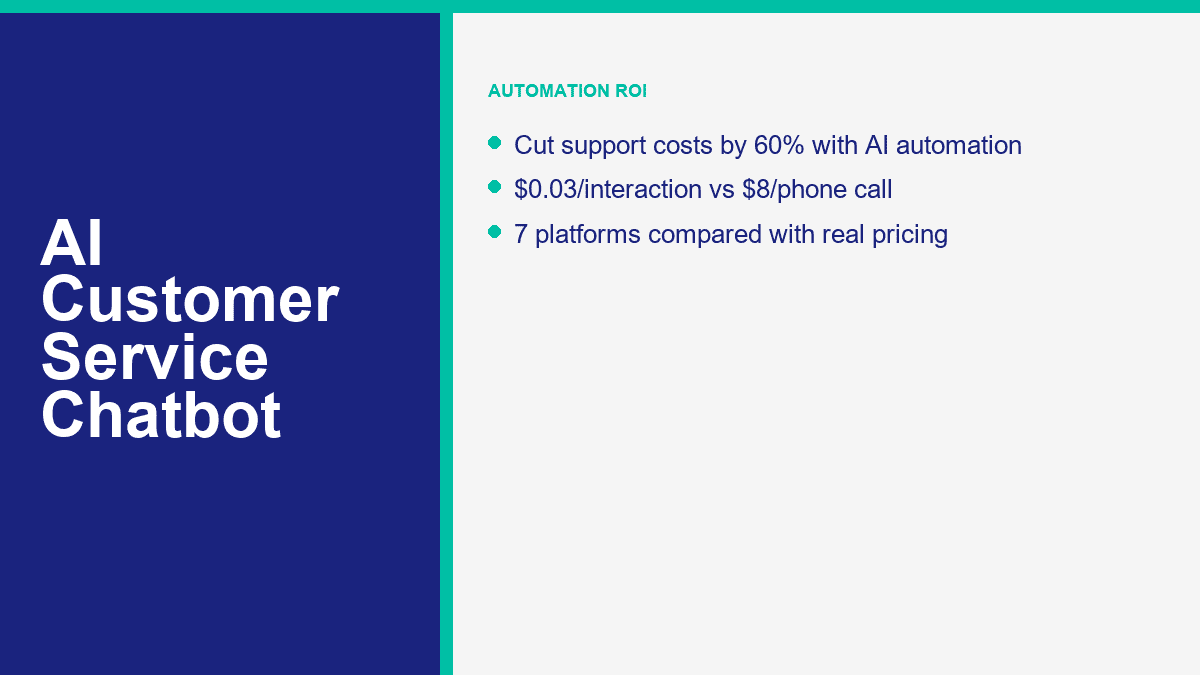
A diferença de custo é difícil de ignorar uma vez que você faz as contas. Uma interação telefônica ao vivo geralmente fica em torno de $8 a $12 quando você inclui mão de obra e despesas gerais. O suporte por e-mail geralmente fica mais próximo de $3 a $5 por mensagem tratada. Uma interação com um bot que responde a uma pergunta conhecida do seu conteúdo pode cair na faixa de $0.01 a $0.05. Isso não significa que toda conversa deve ser automatizada. Significa que a primeira camada absolutamente deve ser.
Os detalhes de preços e planos neste guia foram verificados em páginas de produtos públicas em 9 de abril de 2026. Se você ainda está decidindo entre ferramentas de IA mais amplas e plataformas focadas em suporte, leia nossa comparação completa de chatbots depois disso. Este artigo permanece focado em uma tarefa: usar chatbots de IA para reduzir os custos de suporte sem fazer seus clientes se sentirem presos em um roteiro ruim.
Por Que o Atendimento ao Cliente Sem IA Está Silenciosamente Drenando Tempo e Dinheiro das Pequenas Empresas
O erro mais fácil que os proprietários de negócios cometem é olhar apenas para a folha de pagamento. Uma fila de suporte custa mais do que o salário. Também custa a troca de contexto, tempos de resposta inicial mais lentos, leads perdidos fora do horário, explicações repetidas e o desgaste que atinge sua equipe quando eles passam metade do dia copiando a mesma resposta em cinco canais diferentes.
Para uma pequena empresa, é normal gastar de 15 a 25 horas por semana apenas em suporte repetitivo. Não porque as perguntas sejam difíceis, mas porque continuam chegando por diferentes lugares: chat do site, Facebook Messenger, e-mail, Instagram, formulários de contato e telefone. Um cliente pergunta onde está o pedido. Outro quer saber sobre sua janela de reembolso. Outro precisa do link de reserva. Outro pergunta se você atende o código postal deles. Nada disso requer um julgamento humano de alto nível, mas ainda consome tempo humano.
É por isso que a matemática dos canais importa mais do que a empolgação com as ferramentas. Se você está respondendo a 500 solicitações de suporte por mês, mesmo uma taxa de automação modesta muda rapidamente a economia.
| Canal de suporte | Custo típico por interação | Custo mensal em 500 interações | O que geralmente impulsiona o custo |
|---|---|---|---|
| Suporte por telefone | $8 a $12 | $4.000 a $6.000 | Tempo do agente, manuseio de chamadas, tempo de espera, custos indiretos e verificação repetida |
| Suporte por e-mail | $3 a $5 | $1.500 a $2.500 | Respostas de ida e volta, tempo de pesquisa e roteamento manual |
| Suporte de chatbot de IA | $0,01 a $0,05 | $5 a $25 | Custo de inferência, uso da plataforma e recuperação de base de conhecimento |
Aquela tabela está planejando matemática, não uma promessa de que um bot pode substituir todo o seu suporte. Mas mostra por que equipes pequenas podem justificar a IA tão rapidamente. Se um bot gerencia completamente até 200 das 500 conversas mensais, as economias já são significativas. Se ele lida com os primeiros 70% da conversa antes que um humano intervenha, você ainda reduz o tempo de manuseio e corta custos.
Há também a perda de receita que a maioria dos proprietários não percebe. O suporte não é apenas um centro de custo para PMEs. Muitas conversas de “suporte” são, na verdade, conversas de intenção de compra disfarçadas. O cliente perguntando, “Você entrega em Bristol?” ou “Posso reservar para sábado?” ou “Qual plano inclui a configuração?” está muito próximo de uma decisão. Se ninguém responder até amanhã, você não apenas perdeu um ticket. Você pode ter perdido uma venda.
É por isso que a automação de suporte funciona melhor quando lida com perguntas de serviço e vendas adjacentes juntas. O mesmo sistema que responde às regras de reembolso também pode direcionar solicitações de orçamento, exibir links de reserva e passar um lead quente para um humano com o contexto já coletado.
Como os Chatbots de Atendimento ao Cliente com IA Realmente Respondem às Pessoas em vez de Apenas Adivinharem
Um chatbot de atendimento ao cliente não é útil apenas porque é “IA.” Ele é útil porque realiza três funções de forma confiável: descobre o que o cliente deseja, puxa a resposta correta do conteúdo empresarial aprovado e sabe quando parar e passar a conversa para uma pessoa.
As Três Partes que Mais Importam São Intenção, Conhecimento e Escalonamento
Reconhecimento de intenção é a primeira camada. O bot precisa descobrir se a mensagem é sobre envio, cobrança, status do pedido, reserva, preços, cancelamento, suporte técnico ou algo mais. Sistemas modernos fazem isso com compreensão de linguagem natural em vez de correspondência rígida de palavras-chave, que é a razão pela qual os clientes podem digitar “onde está meu pacote?” e ainda assim entrar no mesmo fluxo que “acompanhe meu pedido.”
Recuperação de conhecimento é a segunda camada. É aqui que muitas empresas ou vencem ou se envergonham. O bot precisa de uma fonte de verdade aprovada: páginas de FAQ, documentos de ajuda, páginas de políticas, informações de menu, regras de agendamento, áreas de serviço, política de devolução, artigos da base de conhecimento ou notas de suporte interno. Se o bot não tiver material de origem limpo, ele responderá de forma vaga, alucinará ou recorrerá a preenchimentos genéricos. A maioria dos bots de suporte ruins não está falhando porque o modelo é fraco. Eles estão falhando porque a empresa forneceu conteúdo fraco.
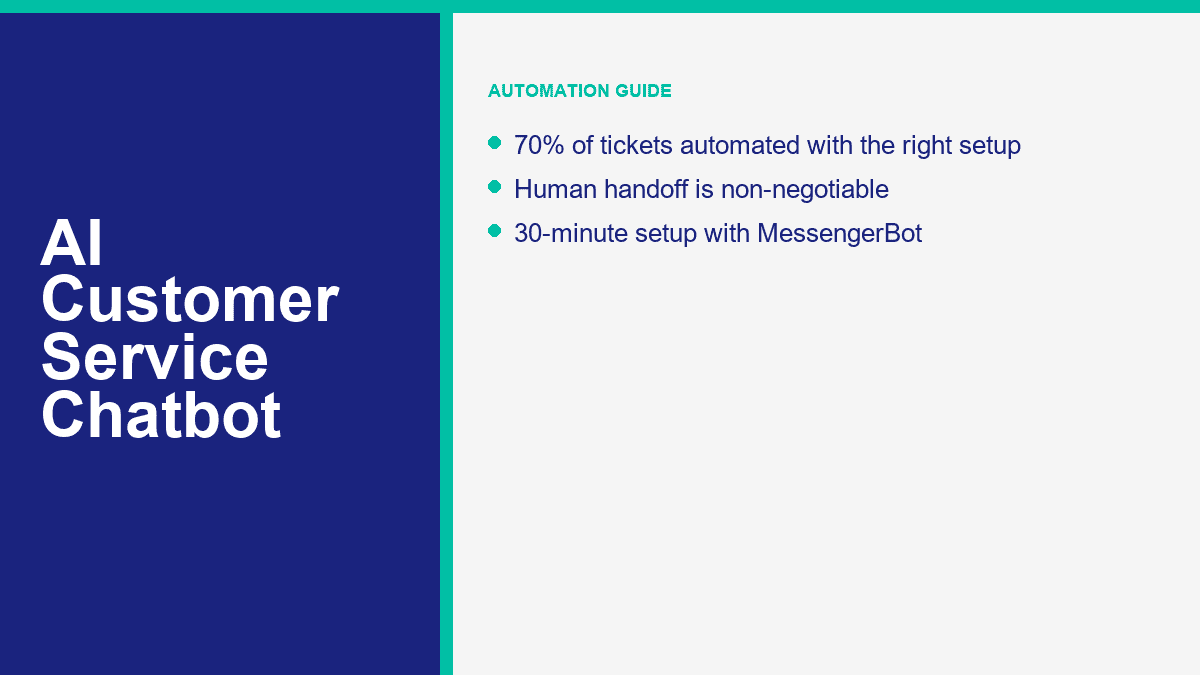
Regras de escalonamento são a terceira camada, e são inegociáveis. Um bom bot de suporte deve saber quando parar de fingir. Se o cliente parecer irritado, fizer uma pergunta nova, precisar de uma exceção, solicitar um reembolso, usar linguagem regulamentada ou já tiver falhado em obter uma resposta útil uma vez, o bot deve encaminhá-lo a um humano sem atrito.
Esse encaminhamento pode ser simples ou avançado. No nível básico, significa “falar com o suporte” ou “deixar seu número de telefone e nós responderemos durante o horário comercial.” No nível avançado, significa tags, roteamento baseado em intenção, sincronização de CRM, consulta de pedidos, criação de tickets e passar a transcrição completa para o agente certo para que o cliente não precise repetir a história.
Bots Pré-Treinados Te Levam ao Vivo Rápido, mas Bots Personalizados Economizam Mais Dinheiro
Bots de atendimento ao cliente pré-treinados são o ponto de partida mais rápido. Eles já entendem a linguagem comum de suporte, então você pode conectar um centro de ajuda ou fazer upload de conteúdo de FAQ e obter resultados úteis rapidamente. É por isso que ferramentas como Tidio, Intercom, Zendesk, Freshchat e HubSpot podem entrar em operação sem um período de construção de seis semanas.
Bots personalizados são onde as maiores economias aparecem. Isso não significa sempre treinar um modelo do zero. Para a maioria das PMEs, “personalizado” significa alimentar a plataforma com suas políticas reais, seus produtos reais, suas regras de envio, sua lógica de agendamento, suas regras de escalonamento e seu tom preferido. O bot ainda usa um modelo de base pré-treinado, mas as respostas se tornam específicas para o seu negócio.
Aqui está a distinção prática:
- Bot de suporte pré-treinado: lançamento mais rápido, menos configuração, bom para FAQs genéricas e triagem básica.
- Bot de suporte personalizado: respostas mais precisas, melhor desvio, roteamento mais forte, menor retrabalho humano.
Mais uma coisa que vale a pena dizer claramente: chatbots de atendimento ao cliente sérios não são ferramentas “sem necessidade de cadastro”. Essa frase pertence a aplicativos de chat de IA para consumidores, não a sistemas de suporte de produção. Bots de negócios precisam de contas, permissões de canal, contexto de cliente salvo, relatórios e roteamento humano. Se uma plataforma promete automação de suporte sem nenhuma configuração, ela está mostrando uma demonstração, não uma pilha de suporte real.
Se o Facebook Messenger é um dos seus principais canais de suporte, isso importa ainda mais porque a configuração é específica para o canal. Para o fluxo de trabalho focado no Messenger, ramificações, formulários, tags e lógica de transferência, leia nosso guia completo de automação do Messenger assim que terminar este artigo.
Os 7 chatbots de atendimento ao cliente com IA que valem a pena comparar antes de comprar qualquer coisa
Pequenas empresas geralmente não precisam de quinze abas de fornecedores abertas. Elas precisam de uma lista curta que reflita como o suporte realmente funciona: chat no site, e-mail, mensagens sociais, conteúdo do centro de ajuda, cobertura fora do horário e uma fácil transferência para um humano. A tabela abaixo foca nas sete plataformas que continuam surgindo nas decisões de compra reais de PMEs.
A coluna de preços reflete o preço de entrada público ou o primeiro nível pago significativo que consegui confirmar em 9 de abril de 2026. A coluna de qualidade da IA é minha leitura prática baseada nas capacidades públicas, fricção de configuração e quão bem cada ferramenta se encaixa no suporte a PMEs, não uma pontuação emitida pelo fornecedor.
| Plataforma | Preço inicial público | Qualidade da IA | Canais | Camada gratuita | Melhor adequação |
|---|---|---|---|---|---|
| MessengerBot.aplicativo | Premium $19,99 por 30 dias | Bom para suporte estruturado de PMEs e automação focada no Messenger | Facebook Messenger, chat no site, e-mail, SMS, Instagram em níveis mais altos | Teste gratuito | Empresas que lidam com suporte e captura de leads dentro do Facebook |
| Tidio | Starter $24.17 por mês; Lyro AI a partir de $32.50 por mês | Muito bom para suporte de website; o fornecedor diz que Lyro pode resolver até 67% de problemas dos clientes | Chat do site, Messenger, Instagram, WhatsApp, e-mail | Plano gratuito mais 50 conversas gratuitas do Lyro | PMEs que precisam de chat no site e suporte de IA em uma única caixa de entrada |
| Intercom | A partir de $29 por assento por mês mais $0.99 por resultado Fin | Excelente; Intercom diz que o Fin resolve uma média de 67% de consultas de clientes | Chat, e-mail, telefone, WhatsApp, no aplicativo | Teste gratuito de 14 dias | Equipes de suporte de maior volume que desejam preços claros para resultados de IA |
| Zendesk | Suite + Copilot Professional $155 por agente por mês faturado anualmente; agentes de IA avançados personalizados | Excelente em escala; Zendesk comercializa potencial de automação 80%+ | Web, e-mail, voz, social, mensagens | Teste gratuito | Operações de suporte maduras com disciplina de bilhetagem já em vigor |
| Freshchat | Gratuito; Growth $19 por agente por mês; Freddy AI Agent primeiras 500 sessões incluídas, depois $49 por 100 sessões | Bom a muito bom para suporte omnichannel com orçamento | Website, aplicativo móvel, e-mail, Facebook, Instagram, WhatsApp, SMS | Sim | Equipes sensíveis a preços que desejam suporte omnichannel sem preços empresariais |
| HubSpot | Ferramentas gratuitas; Starter a partir de $15 por assento por mês; Professional a partir de $100 por assento com agente de cliente Breeze | Muito bom se você já usa o HubSpot; Breeze resolve cerca de 65% de conversas | Chat do site, e-mail, Facebook Messenger, WhatsApp, chamada beta | Sim, além de 28 dias de acesso gratuito para o Agente de Atendimento | Empresas centradas em CRM que desejam suporte, vendas e marketing em um único sistema |
| Deriva | Preço personalizado | Bom para conversas sobre receita, menos eficaz para SMBs focados em suporte | Chat do site e conversas de vendas | Sem um nível gratuito significativo | Sites B2B onde a principal função do chatbot é qualificação e agendamento de reuniões |
MessengerBot.app Faz Mais Sentido Quando o Facebook É um Canal de Suporte Real
Se a maioria das suas perguntas de clientes vem através de mensagens da Página do Facebook, o MessengerBot é a opção mais direta deste grupo. A precificação é mais fácil de entender do que a cobrança baseada em contatos, o Construtor de Fluxo Visual é prático, e a plataforma já cobre os extras que os SMBs geralmente pedem a seguir: formulários, chat do site, automação de comentários, tags, transmissões, ferramentas de ecommerce e conectividade com Google Sheets ou API.
The honest limitation is channel focus. If your business lives more on website chat or email than Messenger, a broader support platform may fit better. But for Messenger-first businesses, it removes a lot of setup friction.
Tidio Is the Best All-Around Pick for Website Support Plus AI
Tidio is the cleanest answer for businesses whose website is the main support front door. Lyro is a real AI layer, not just a scripted menu, and the free plan plus 50 free Lyro conversations gives you a low-risk way to test it. I like Tidio most for ecommerce brands, service businesses, and online stores that want one place for live chat, tickets, and AI answers.
The tradeoff is pricing complexity once you stack plan fees and AI usage. It is still fair, but you need to model both the support workspace and the AI layer, not just the sticker on the first plan.
Intercom Is Expensive, but It Gives You the Cleanest AI Cost Model
Intercom’s biggest strength is not that it is cheap. It is that the math is visible. Fin AI Agent costs $0.99 per successful outcome, and Intercom publishes that openly. For a support leader, that is useful because you can compare AI cost per resolved conversation against human cost per resolved conversation instead of guessing where the overages are hiding.
The catch is obvious. If you are a small business with low volume, per-outcome pricing can still work. If you are a very high-volume team, the bill gets real fast. Intercom is strongest when AI resolution quality matters enough that you are willing to pay for it.
Zendesk Is Powerful, but Many Small Businesses Buy Too Much Too Early
Zendesk is excellent if your support team already works like a support team: tickets, macros, SLAs, queues, reporting, QA, and admin controls. It is not the first tool I would recommend to a five-person business answering the same booking questions every day. It is the tool I would recommend to a scaling operation that needs governance and serious workflow depth.
Zendesk’s AI story is strong, but its packaging is enterprise-shaped. For a local clinic, SaaS startup, or small ecommerce brand, that can be more system than you need.
Freshchat Is the Budget-Friendly Omnichannel Option That Still Feels Modern
Freshchat deserves more attention from SMBs than it usually gets. The free tier is usable, the Growth plan starts lower than most enterprise-style platforms, and the Freddy AI pricing is straightforward enough to forecast. It is a good fit if you want website chat, email, and messaging channels without immediately jumping into Intercom or Zendesk spend.
Where Freshchat usually loses is not price. It is mindshare. Buyers shortlist Tidio or Intercom first, even when Freshchat fits the budget better.
HubSpot Is Best When Customer Service Is Tied Closely to Your CRM
HubSpot becomes compelling when support, sales, and marketing all need the same conversation history. Breeze Customer Agent can answer questions, qualify leads, and hand off with CRM context intact. If your support team already lives in HubSpot, it is one of the easiest AI decisions to justify because the customer data is already there.
If you are not already on HubSpot, the value case changes. Then you are not buying only a chatbot. You are buying into a broader platform decision.
Drift Is Still Strong for Pipeline, Not for Everyday Support Deflection
Drift belongs in this comparison because many B2B companies still look at “chatbot” and really mean lead qualification, meeting booking, and account-based website conversations. That is where Drift still works. If your website exists to start sales conversations, Drift stays relevant.
If your main problem is repetitive customer support, though, Drift is usually the wrong starting point. It is not built around the same service-first use case as Tidio, Intercom, Zendesk, Freshchat, or HubSpot.
How to Set Up an AI Customer Service Chatbot in About 30 Minutes With MessengerBot
The fastest successful chatbot launch is never the fanciest one. The first version that saves money usually handles the top five repetitive questions, offers one clean human handoff path, and captures the minimum context your team needs when they take over.
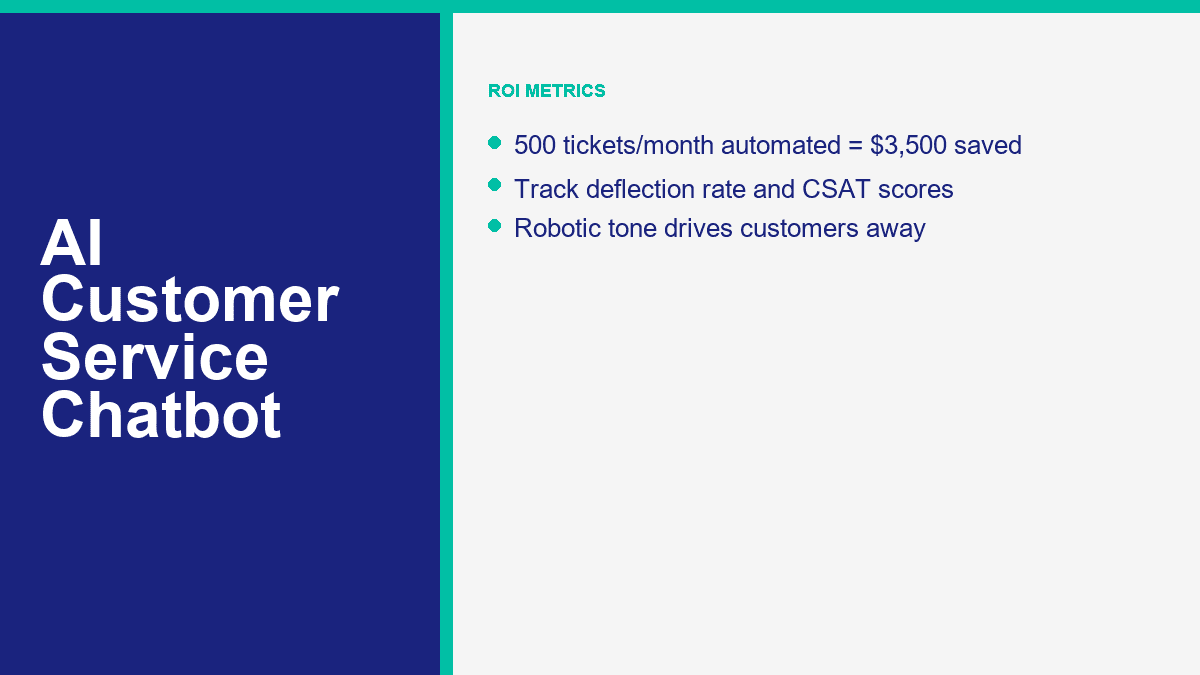
If Facebook Messenger is one of your busiest support channels, MessengerBot is one of the quickest ways to get there because the setup is already aligned to Page-based messaging rather than generic website chat. A realistic 30-minute rollout looks like this:
- Connect the right Facebook Page first. Use the business account that actually has Page permissions. Most failed first-time setups come down to the wrong login or skipped permissions.
- List the 10 questions your team answers every week. Do not brainstorm imaginary use cases. Pull the real questions from Messenger, email, and comments.
- Build a welcome menu with 3 to 5 useful options. Good examples are order help, business hours, booking, pricing, and talk to a person.
- Create one short branch per question. Each branch should end in an answer, an action, or a handoff. Avoid long walls of text.
- Add one lead or support form. Ask only for the details needed to move the case forward, such as order number, phone, email, or preferred appointment date.
- Set the human handoff rule. Route refund requests, billing problems, second-failed answers, and emotionally charged messages to a person.
- Test the full flow on a phone. Desktop previews are not enough. Messenger is a mobile-first experience.
- Launch narrow, then review live conversations after one week. The first 50 to 100 chats will show you what to fix faster than any pre-launch guesswork.
A lot of businesses overbuild the opening flow. They try to create a clever AI concierge that can handle every possible edge case. That is the wrong goal. The right goal is to stop human time from being wasted on repetitive, solvable requests. Start with the boring stuff. That is where the savings are.
For a small business, the first bot should usually cover these four buckets:
- FAQ support: hours, location, pricing ranges, shipping rules, service areas, return policy.
- Order or booking status: collect order number, booking date, or email, then route or respond.
- Qualificação de leads: capture name, contact details, product interest, and timeline.
- Human routing: give customers an obvious path to a person when the issue needs judgment.
If you are deciding whether the starter tier is enough or you need more pages, widgets, or automation depth, Ver Preços do MessengerBot before you build too much on the wrong plan. That is also the point where you should compare whether your business is still Messenger-first or whether you really need a broader omnichannel stack.
What AI Chatbots Handle Well, What They Still Miss, and Why Human Handoff Is Mandatory
The strongest customer-service bots in 2026 are good, not magical. They can remove a lot of repetitive work. They cannot replace judgment, empathy, exceptions, or accountability.
What AI Chatbots Are Already Good At
These are the jobs I would automate first because the success rate is usually high and the customer expectation is clear:
- Frequently asked questions: pricing ranges, opening hours, shipping rules, returns, warranty basics, service coverage, and onboarding steps.
- Order status and appointment lookup: if your systems are clean, bots can ask for the right identifier and route or return the next step fast.
- Agendamento de compromissos: especially for clinics, salons, gyms, consultants, and home-service businesses.
- Qualificação de leads: product interest, budget range, timeline, location, or service type.
- After-hours first response: even when a human will reply tomorrow, the bot can set expectations and collect context now.
Those use cases work because the business rules are stable. The bot is not being asked to improvise policy. It is being asked to recognize a known intent and apply a known answer or workflow.
Where AI Still Breaks Down Fast
This is where small businesses get into trouble when they overtrust automation:
- Complex complaints: damaged orders, repeated failures, or service breakdowns that need discretionary action.
- Emotional situations: angry customers, bereavement cases, cancellation disputes, or anything involving trust repair.
- Novel problems: if the issue has no documented answer, the bot should not guess.
- High-risk requests: refunds, chargebacks, legal claims, regulated advice, privacy requests, or account security problems.
- Multi-step exceptions: anything that requires policy override or manager approval.
That is why the human handoff is not a “nice to have.” It is the difference between automation that saves money and automation that creates churn.
A simple handoff rule set usually covers most of the risk:
- If the customer asks for a human, hand off.
- If the bot fails twice, hand off.
- If the issue mentions billing, refund, legal, safety, or account access, hand off.
- If sentiment is clearly negative or frustrated, hand off.
If you need more advanced routing, multi-step support logic, additional channels, or stronger automation controls around those handoffs, Recursos do MessengerBot Pro are the part to compare next. That is where a lot of growing businesses move from a simple FAQ bot into a real support workflow.
How to Measure ROI So You Know the Bot Is Saving Money Instead of Just Looking Busy
AI chatbot ROI is easy to fake if you only look at conversation volume. A bot that replies to everything is not automatically saving money. The only numbers that matter are the ones tied to deflection, resolution, speed, customer satisfaction, and real labor avoided.
The five metrics I watch first are:
| Métrica | O que ele te diz | What good looks like for an SMB |
|---|---|---|
| Taxa de desvio | How many conversations never need a human | 40% to 60% in the first month; 60% to 70% once content is tuned |
| Taxa de resolução | How often the bot actually solves the issue it touched | Higher than 50% on repetitive FAQs; lower on complex support |
| CSAT | Whether customers feel the automated experience was acceptable | Flat or improving compared to human-only baseline |
| Cost per interaction | The real expense of automated versus human support | Pennies for AI, dollars for human support |
| Human assist rate | How often the bot still needs staff intervention | Low for repetitive issues, intentionally higher for sensitive issues |
The simplest ROI formula is still the best one:
Monthly savings = (Manual interactions avoided x manual cost per interaction)
                - (Automated interactions x bot cost per interaction)
                - platform subscription
                - maintenance time
Now use the example most owners can relate to.
Say your business handles 500 support tickets per month. If 70% of them are repetitive enough for automation, that is 350 tickets the bot can absorb or fully resolve. If your blended manual cost is $10 per support interaction, those 350 tickets would have cost about $3,500 handled by humans.
If the bot handles those same 350 conversations at about $0.03 each, that interaction cost is only $10.50. Add a $49.99 plan cost, and the total bot-side monthly spend is about $60.49.
| Cenário | Quantidade |
|---|---|
| Total monthly tickets | 500 |
| Automated tickets at 70% | 350 |
| Manual cost avoided at $10 each | $3,500.00 |
| Bot interaction cost at $0.03 each | $10.50 |
| Platform cost example | $49.99 |
| Estimated monthly net savings | $3,439.51 |
Round that down for real life and you still land in the same place: roughly $3,500 a month saved from one modest support queue. That is why business owners who think chatbot plans are “another software expense” usually change their mind as soon as the spreadsheet is honest.
Here is a second scenario for email-heavy teams where the manual cost is lower:
- 800 email and chat tickets per month
- 55% automated = 440 tickets
- Manual cost = $4 each
- Automation cost = $0.02 each
- Platform cost = $24.17
The manual work avoided there is $1,760. The bot interaction cost is $8.80. After the plan cost, your net monthly savings are about $1,727.03. That is not “enterprise AI transformation.” That is one small support process finally being priced correctly.
The important caution is this: do not count partial automation as full savings. If the bot collects the order number but still hands the case to a human, you saved time, not a full interaction. That is still valuable, but track it honestly. Otherwise the ROI model turns into sales-deck math.
The AI Customer Service Mistakes That Push Customers Straight to Your Competitor
I keep seeing the same support-bot failures, and they are almost never model failures. They are setup failures.
No Human Option Is the Fastest Way to Make Automation Feel Hostile
If the customer cannot reach a person when the issue goes off script, the bot stops feeling efficient and starts feeling defensive. This is especially destructive in billing, delivery failures, appointment changes, and complaints.
Robotic Responses Usually Mean Your Knowledge Base Is Weak
Businesses blame the model when the answers sound stiff or generic. The real problem is often bad source material. If your FAQ says almost nothing, the bot will say almost nothing too. Good support bots are trained on policy, process, tone, and concrete examples. Weak content produces weak conversations.
Ignoring Context Makes Customers Repeat Themselves
If a customer already gave the order number, the issue type, and the delivery date, the handoff should preserve that. Making them restate everything is one of the quickest ways to kill CSAT. This is why integrations and routing matter more than flashy demos.
No Escalation Path Turns Minor Issues Into Public Complaints
A support bot should reduce pressure, not trap it. When escalation is missing, customers do what customers always do: they go to reviews, social comments, or a competitor that answers faster.
Trying to Automate Every Edge Case on Day One Usually Backfires
The right first bot is boring on purpose. It answers the questions you already know, routes the issues you should not automate, and lets you improve the knowledge base from real conversations. Teams that try to launch an all-knowing AI assistant on day one usually end up rewriting everything after the first week.
A quick pre-launch checklist catches most of the expensive mistakes:
- Give the customer an obvious human option.
- Write answers in your brand’s actual tone, not generic help-center language.
- Use real FAQs pulled from live conversations.
- Define hard handoff rules for risk, sentiment, and failed answers.
- Test the full flow on mobile before launch.
- Review bot conversations weekly for the first month.
Where Most Small Businesses Should Start Right Now
If your team is still answering the same support questions by hand every day, do not start by shopping for the most advanced AI on the market. Start by automating the most repetitive 20% of your queue, because that is where the fastest savings usually live. If Facebook Messenger is part of that workflow, compare Ver Preços do MessengerBot com Recursos do MessengerBot Pro and pick the smallest setup that gives you solid FAQ coverage, one human handoff path, and one lead or support form. That is enough to prove ROI before you expand.
Perguntas frequentes
Quanto custa um chatbot de atendimento ao cliente com IA?
For most small businesses, a serious starter setup costs somewhere between about $20 and $100 per month, depending on channels, agent seats, and AI usage. MessengerBot starts at $19.99 per 30 days on its current public pricing, Tidio starts at $24.17 per month with Lyro sold separately from $32.50, Freshchat has a free tier and Growth from $19 per agent, and enterprise tools such as Intercom and Zendesk climb much faster once seat pricing and AI usage kick in.
Um chatbot de IA pode substituir completamente os agentes de atendimento ao cliente humanos?
No. AI can replace a large share of repetitive support work, but it should not replace humans in complex complaints, emotional situations, policy exceptions, refunds, account security, or novel problems. The best support setup is hybrid: AI handles the repetitive layer, and humans step in when judgment or empathy matters.
Qual porcentagem de chamados de suporte os chatbots de IA podem lidar?
Para a maioria das pequenas empresas, uma meta realista é de 40% a 60% de tickets repetitivos no primeiro mês, depois de 60% a 70% uma vez que a base de conhecimento e as regras de roteamento melhorem. As reivindicações dos fornecedores podem ser maiores em casos de uso restrito. A HubSpot afirma que o Breeze resolve cerca de 65% de conversas, a Intercom diz que o Fin resolve uma média de 67% de consultas de clientes, e a Zendesk comercializa um potencial de automação de 80%+ para agentes de IA.
Quanto tempo leva para configurar um chatbot de atendimento ao cliente com IA?
A basic version can go live in about 30 minutes if your content is ready and the use case is narrow. A stronger first rollout, with clean FAQ branches, forms, escalation rules, and mobile testing, usually takes one to three hours. The biggest time saver is using real support questions instead of trying to invent every possible scenario.
Qual plataforma de chatbot de IA é a melhor para o atendimento ao cliente de pequenas empresas?
A melhor plataforma depende do canal que mais importa. MessengerBot é a melhor opção para empresas que priorizam o Facebook Messenger. Tidio é a melhor escolha geral para chat em sites mais IA. Freshchat é forte para suporte omnichannel com orçamento limitado. HubSpot faz sentido se seu CRM já estiver lá. Intercom e Zendesk são mais adequados para equipes de suporte maiores ou mais maduras operacionalmente do que para uma pequena empresa típica que apenas tenta desviar tickets repetitivos.



 Português do Brasil
  English
  Tagalog
  简体中文
简体中文  العربية
  हिन्दी
  Español de México
  Français
  বাংলা
বাংলা  香港中文
香港中文  繁體中文
繁體中文  Nederlands
  Deutsch
  Bahasa Indonesia
  日本語
日本語  한국어
한국어  Polski
  Русский
  Español
  Tiếng Việt