

电子商务产品价格变动
电子商务产品价格变动增加了额外的功能,使电子商务商店更加丰富,增强了产品销售过程。这意味着你可以 设置不同的价格 用于 不同的属性.
通过这个附加组件,你可以添加多个属性,并将它们用于不同的目的作为产品销售选项。假设你有一个名为餐厅的电子商务商店,你的餐厅有一个名为 牛肉汉堡(从产品部分添加)。 你的牛肉汉堡有 三种不同的尺寸,分别是小号、中号和大号. 所以你想为 三种不同的尺寸设置不同的价格. 因此,在Messenger Bot电子商务商店中,你需要添加一个带有三种不同属性的小号、中号和大号的属性。然后你可以创建汉堡价格的变体。
如何创建属性?
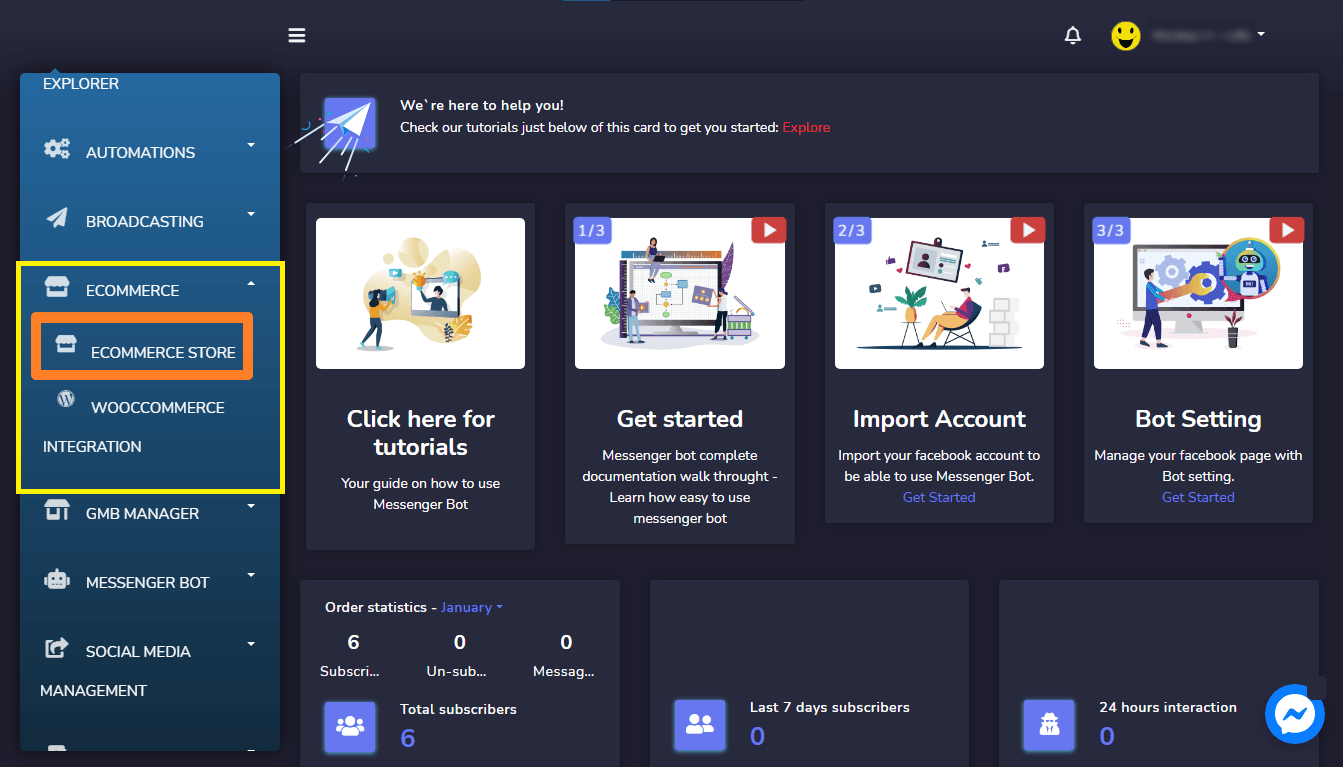
前往 电子商务然后电子商务商店 和 选择你的电子商务商店.
然后点击右侧菜单中的 属性菜单 。点击 添加属性按钮以创建具有不同属性值的属性。 在属性部分完成后,现在你需要使用属性来使产品价格发生变动。
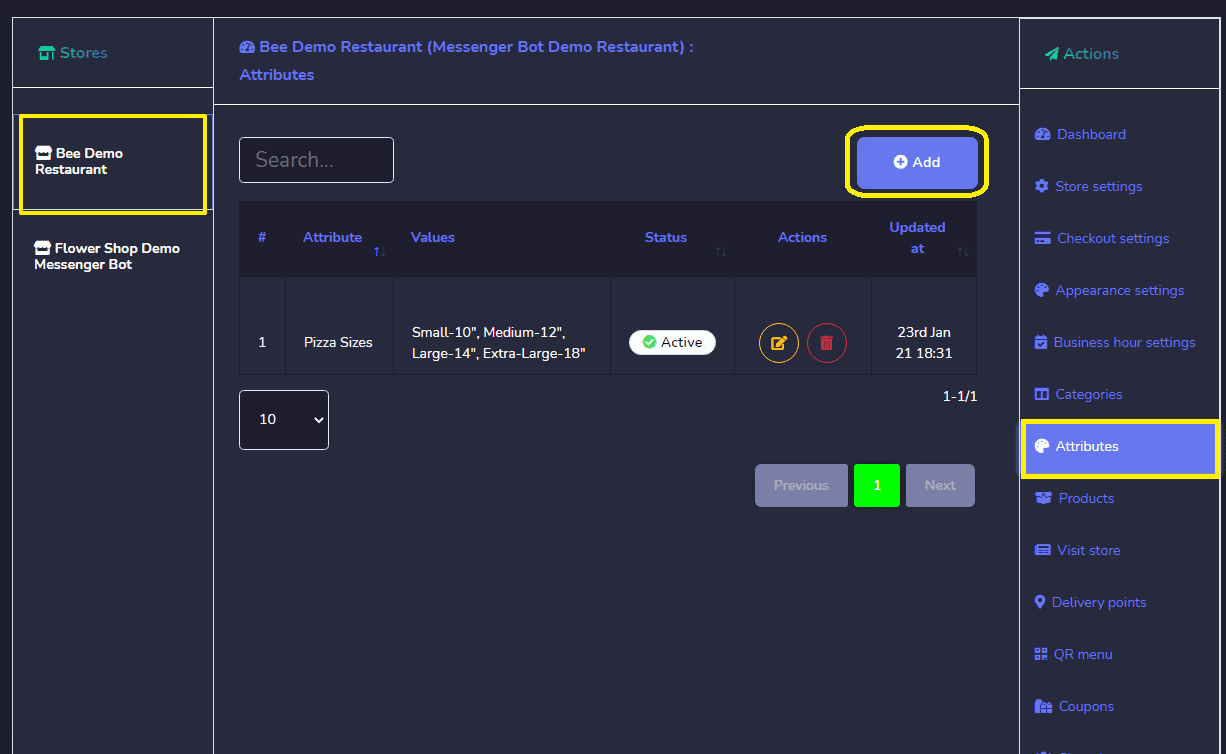
然后点击右侧菜单中的 属性菜单 。点击 添加属性按钮以创建具有不同属性值的属性。 在属性部分完成后,现在你需要使用属性来使产品价格发生变动。
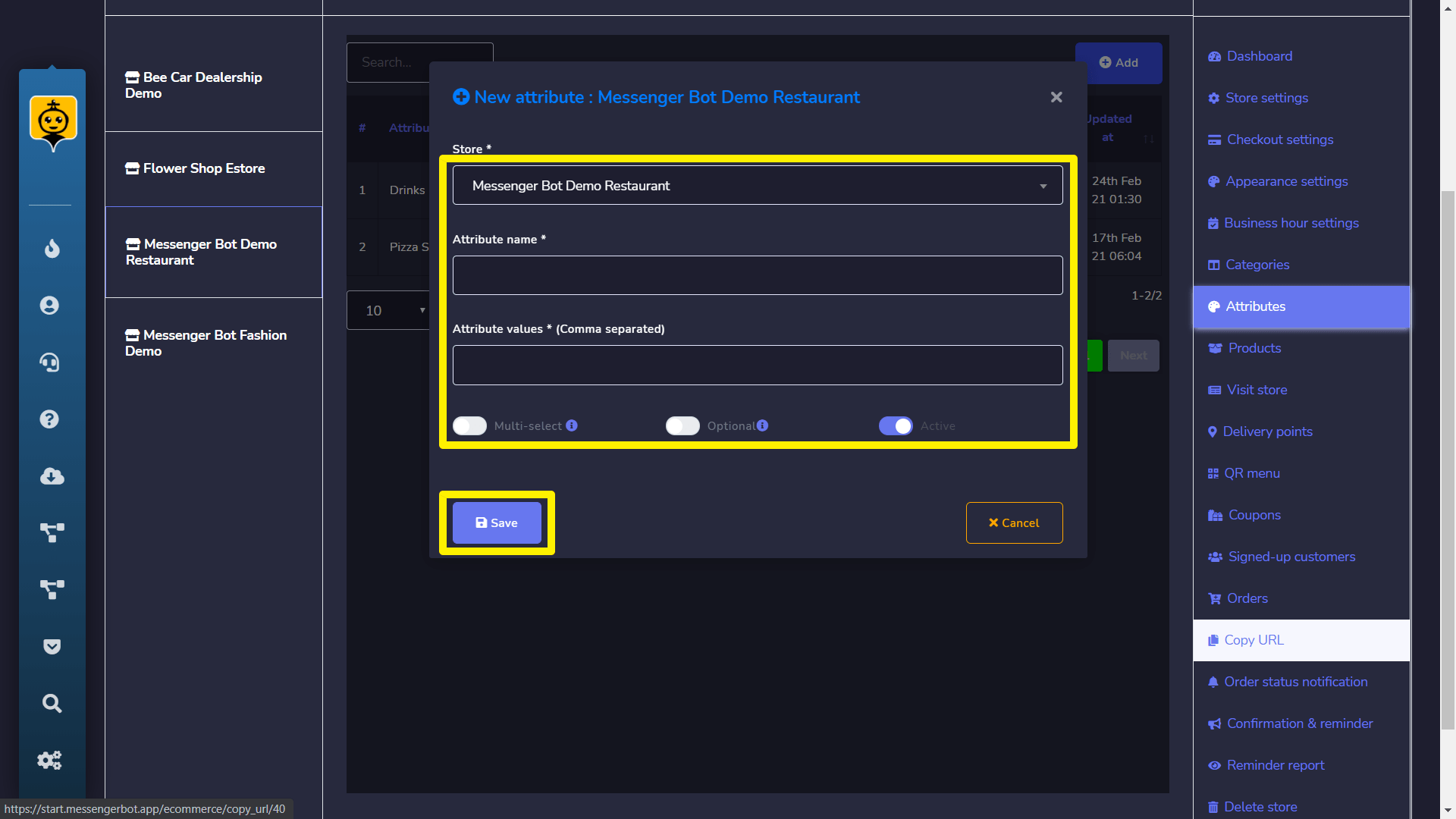
为产品添加属性
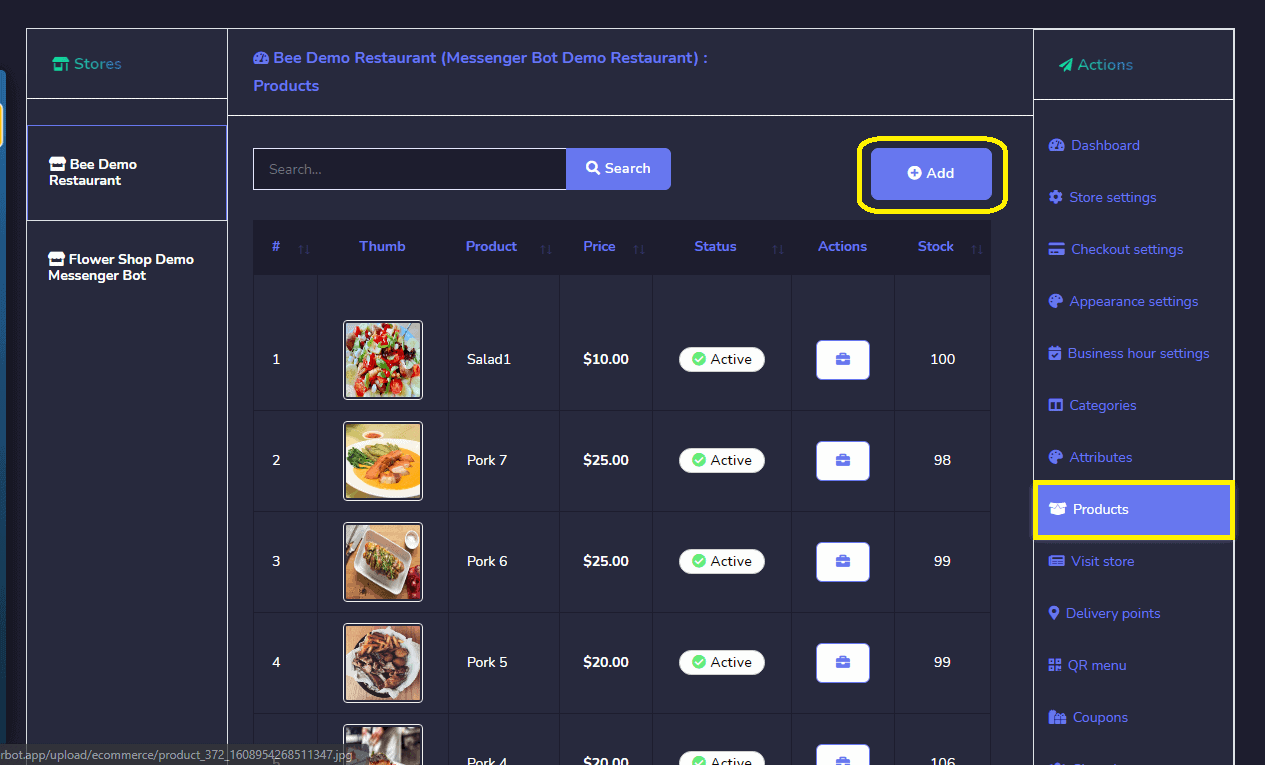
所以点击右侧菜单中的
产品菜单 ,然后点击 添加产品 一个添加产品信息的表单将出现。现在有几个选项需要填写。 按钮。
– 该字段显示你选择的商店名称。
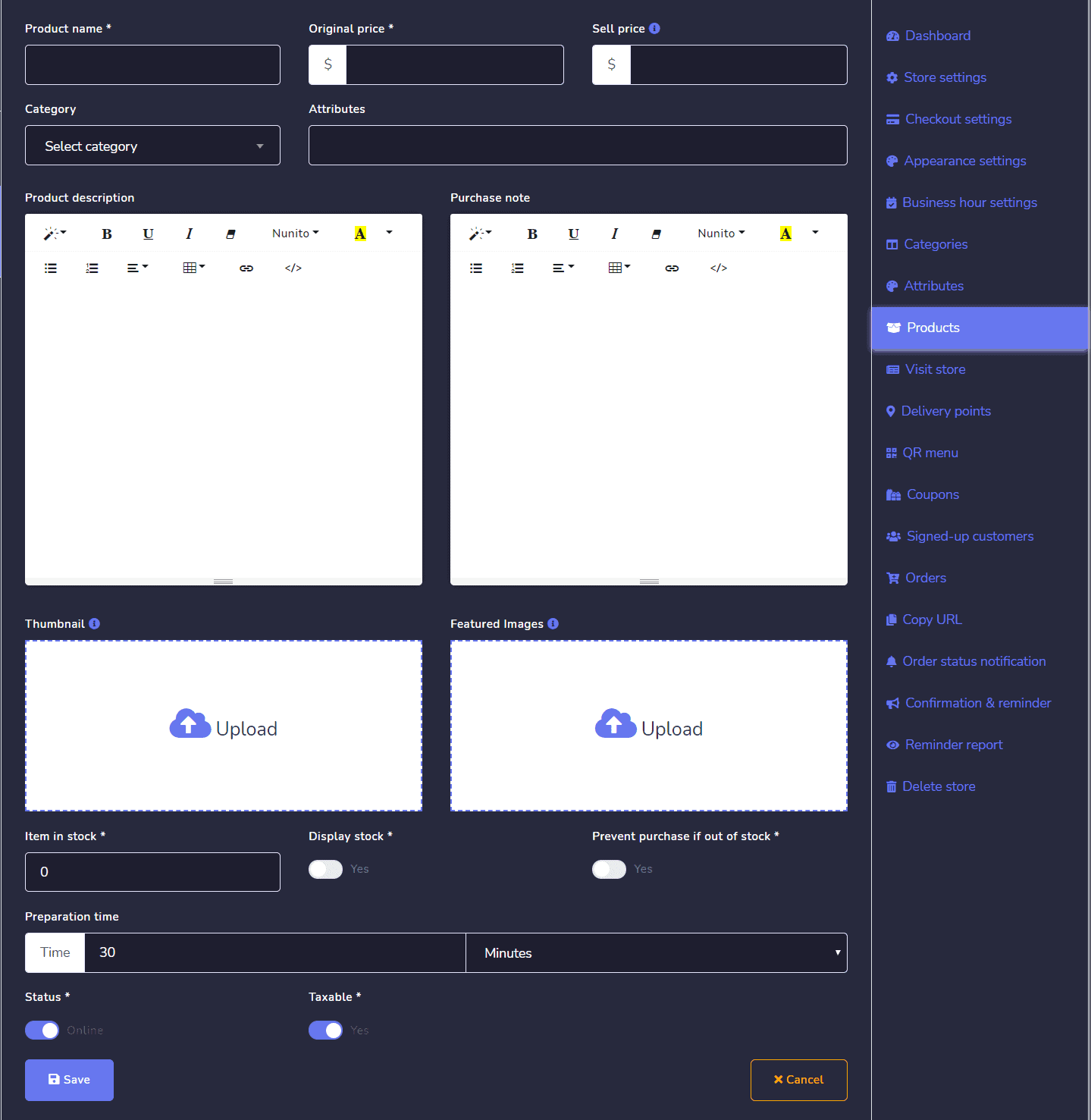
商店 类别
– 该字段用于你想销售的产品类别。 属性
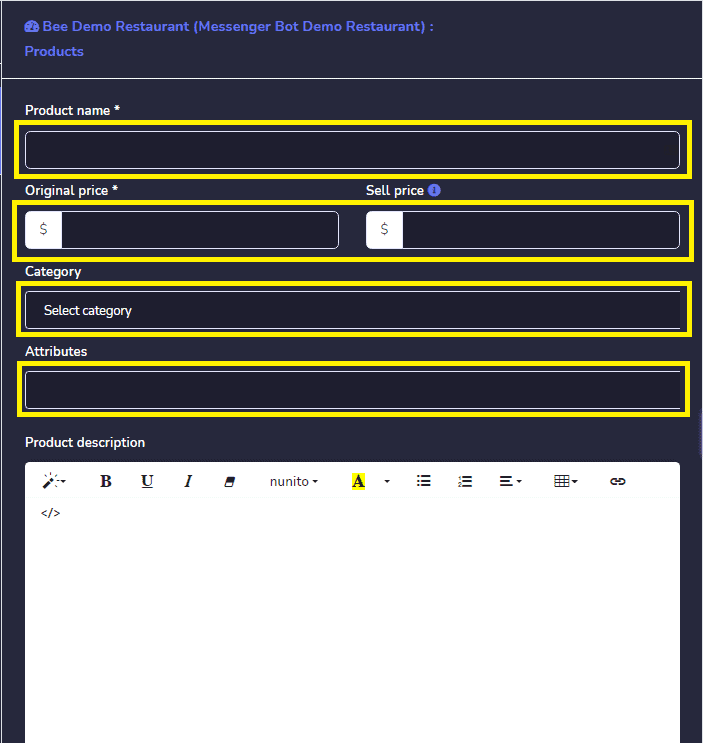
Attributes [{"id":52,"text":"– 这是您在属性部分添加的属性。您也可以选择多个属性。"},{"id":53,"text":"产品名称"},{"id":54,"text":"– 此字段用于您的产品名称。"},{"id":55,"text":"原价"},{"id":56,"text":"– 原价指的是您的产品实际价格,在促销期间会显示。"},{"id":57,"text":"售价"},{"id":58,"text":"– 有时您想给产品打折,因此如果您从原价中提供一些折扣,则必须提供折扣后的售价。"},{"id":59,"text":"属性值"},{"id":60,"text":"现在这一部分是此附加组件的主要关注点。您会发现"},{"id":61,"text":"不同的属性值"},{"id":62,"text":"与您在上面字段中选择的属性相对应。您可以为不同类型的属性值设置价格变动。在此部分,有"},{"id":63,"text":"三个部分"},{"id":65,"text":"属性值"},{"id":66,"text":"增量/减量(与主价格)"},{"id":67,"text":"金额"},{"id":69,"text":"– 此列将显示所选属性的属性值。"},{"id":70,"text":"增量/减量价格"},{"id":71,"text":"每个属性值有两个选项,一个是用于"},{"id":72,"text":"增量 (+)"}{"id":73,"text":"价格,另一个是用于"},{"id":74,"text":"减量 (-)"}{"id":75,"text":"从原价中减去的价格。如果您"},{"id":76,"text":"选择一个属性值"},{"id":77,"text":", 则给定的金额将添加到"},{"id":78,"text":"产品的售价"},{"id":79,"text":"中,如果您从下拉菜单中选择,则给定的金额将从产品的售价中替换。"},{"id":80,"text":"假设您的产品"},{"id":82,"text":"是$20,您从下拉菜单中选择了 + 并给定了"},{"id":83,"text":"增量金额"},{"id":84,"text":"为$10,因此相应属性值的实际价格将为$30。如果"}]
Product Name – This field is for your product Name.
Original Price – Original Price refers to your Product’s actual price which will show during the sale.
Sell Price – Sometimes you want to give a discount on your product, so if you offer some discount from the original price then you have to provide the selling price after giving a discount.
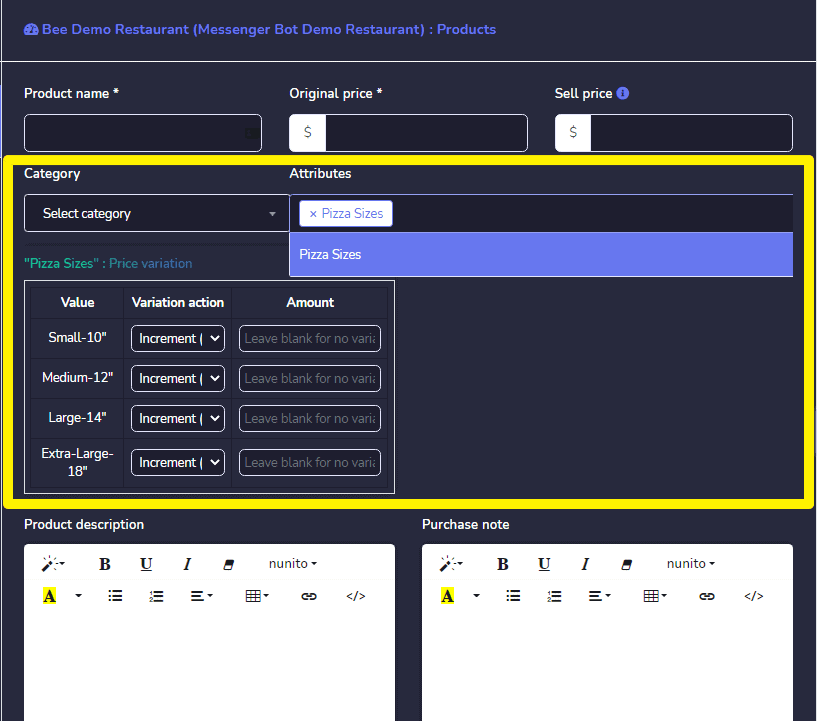
Attribute Values
Now this section is the main focused part of this add-on. You’ll find different attribute values against the Attribute you’ve selected in the above field. You can set the price variation for different types of attribute values. In this section, there are three parts ✔️无限订阅者
- attribute values
- increment/decrements (with the main price)
- amount
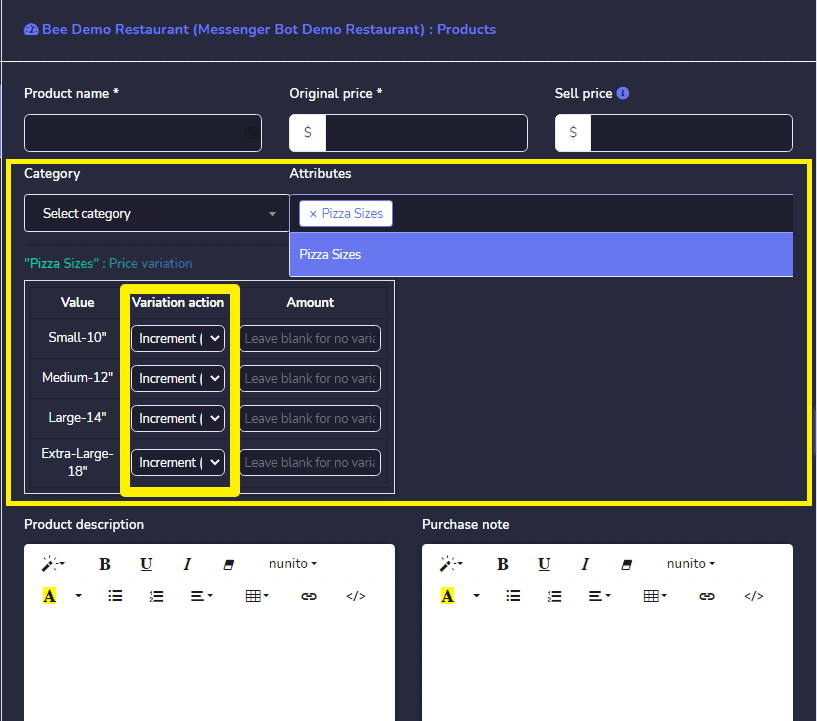
Attribute Values – This column will show the attribute values of selected attributes.
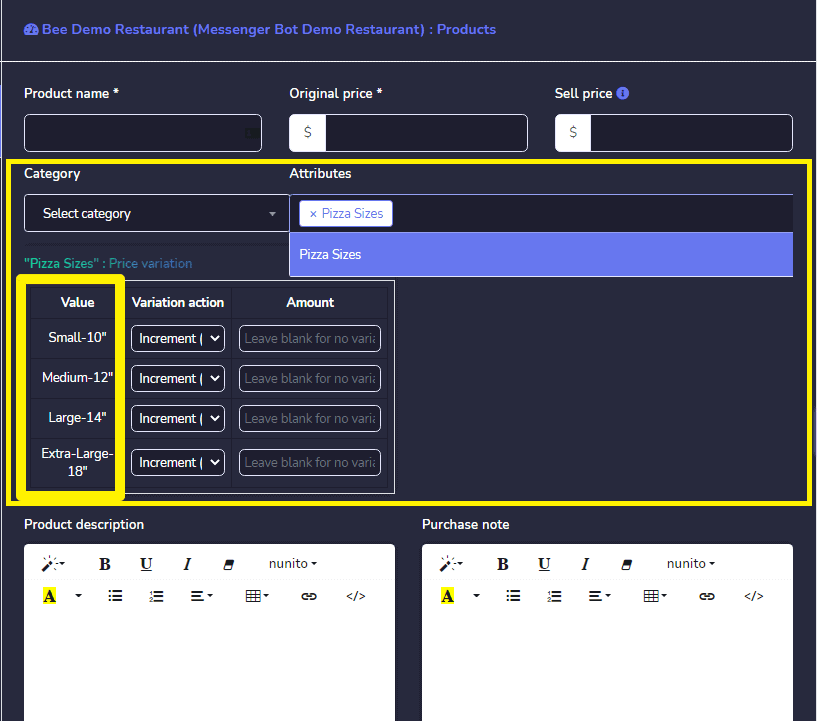
Increment/Decrement Price
There are two options for every attribute values, one is for Increment (+) price. and another is for Decrements (-) the price from the original price. If you select an attribute value, then the given amount will be added to the selling price of the product and if you select from the dropdown then the given amount will be substituted from the selling price of the product.
Suppose your product selling price is $20 and you’ve selected + from the dropdown and given increment amount is $10, so the actual price of the corresponding attribute values will $30. And if 您选择 - 那么售价将变为$10.
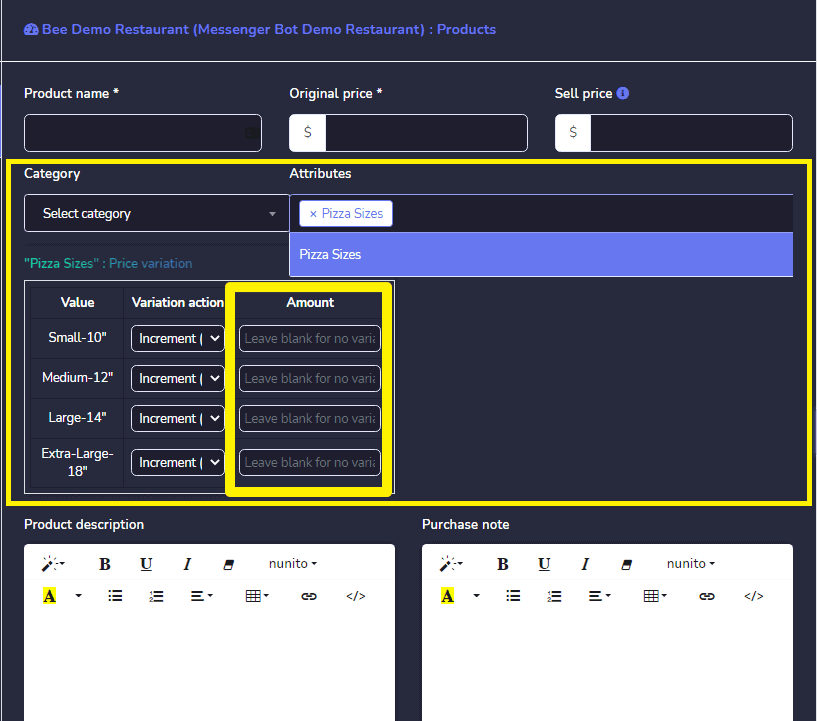
数量 - 此字段用于提供对应的 属性值数量 这将 添加或替代 根据 增量/减量 选项选择的产品原价.
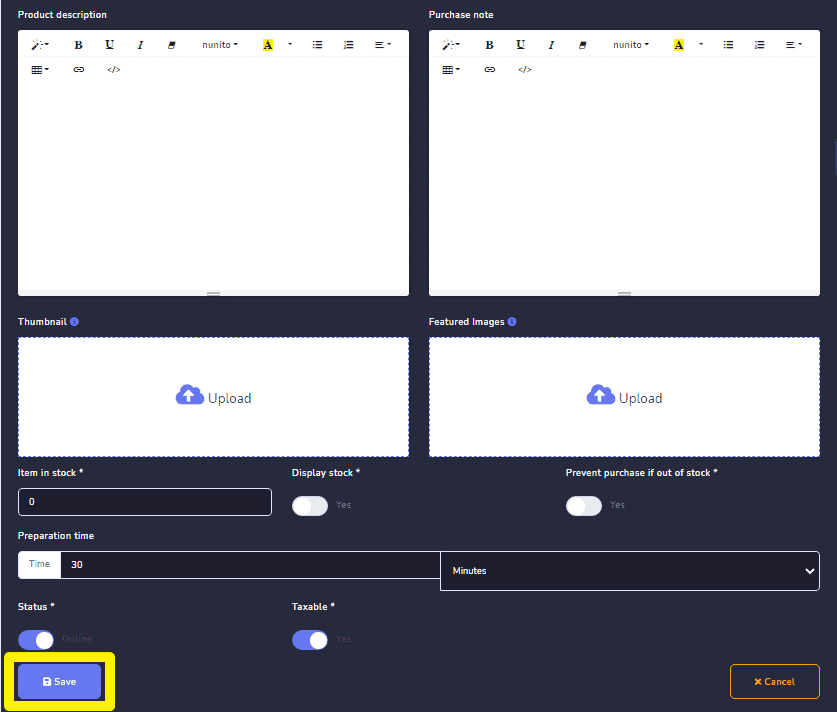
填写完产品的所有信息后,点击保存按钮。现在您已准备好继续进行产品销售部分.



 简体中文
简体中文  English
  Tagalog
  العربية
  हिन्दी
  Português do Brasil
  Español de México
  Français
  বাংলা
বাংলা  香港中文
香港中文  繁體中文
繁體中文  Nederlands
  Deutsch
  Bahasa Indonesia
  日本語
日本語  한국어
한국어  Polski
  Русский
  Español
  Tiếng Việt